
Detect
Identify suspicious files and their location.
Free · Detection · Free of charge
Free scans the files on your site and produces a detection report. Confirm the threats it identifies and use the findings to decide whether to proceed with Saver.
Free of charge
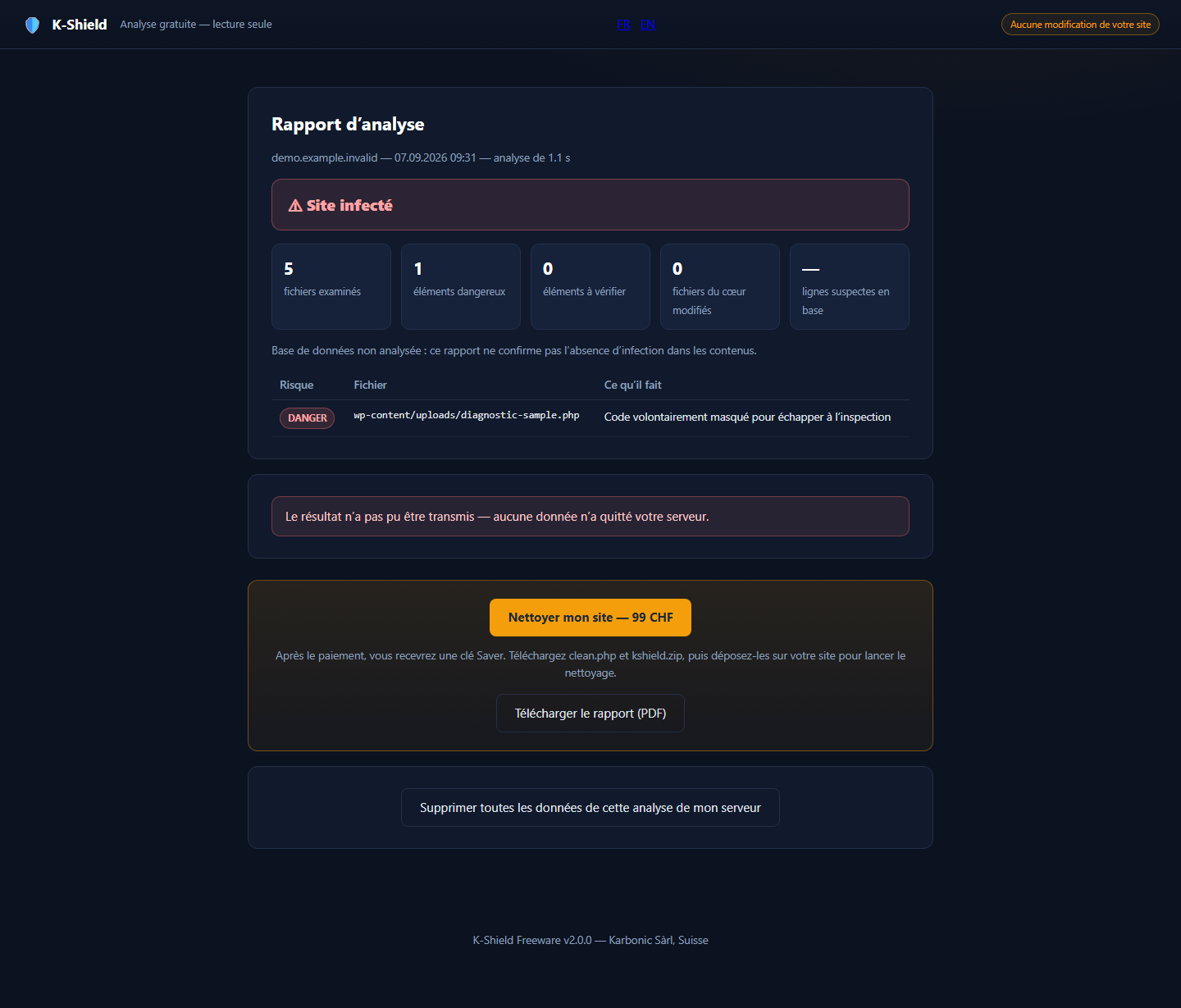 Enlarge screenshot ↗
Identify suspicious files and their location.
Review results in a report kept on the site.
Assess the next step with Saver before buying.
K-Shield Free
You download the kit, upload it to your hosting and run the steps from its interface. The licence gives wpsuite no access to your site, does not transmit your credentials and does not automatically trigger a technician’s intervention.
How it goes
analyse.php and kshield-analyse.zip, at the root of your site. Nothing to unzip: it is the only technical step.Because a detection tool handed out without any control also serves those who write backdoors: they would test their own code on it until it slips through the net. The validation code is sent to a real address, and the number of scans is limited.
It is also why the report names the dangerous files and says what they do, but never how they were spotted.
K-Shield Free
Real screenshots from the test environment, with an English interface and some French labels.
Upload the two supplied files to the site root, open the analysis and verify your email. No WordPress plugin is required.
analyse.php and kshield-analyse.zip run on the server. Detection does not alter scanned files; the tool does create its own working files and report.
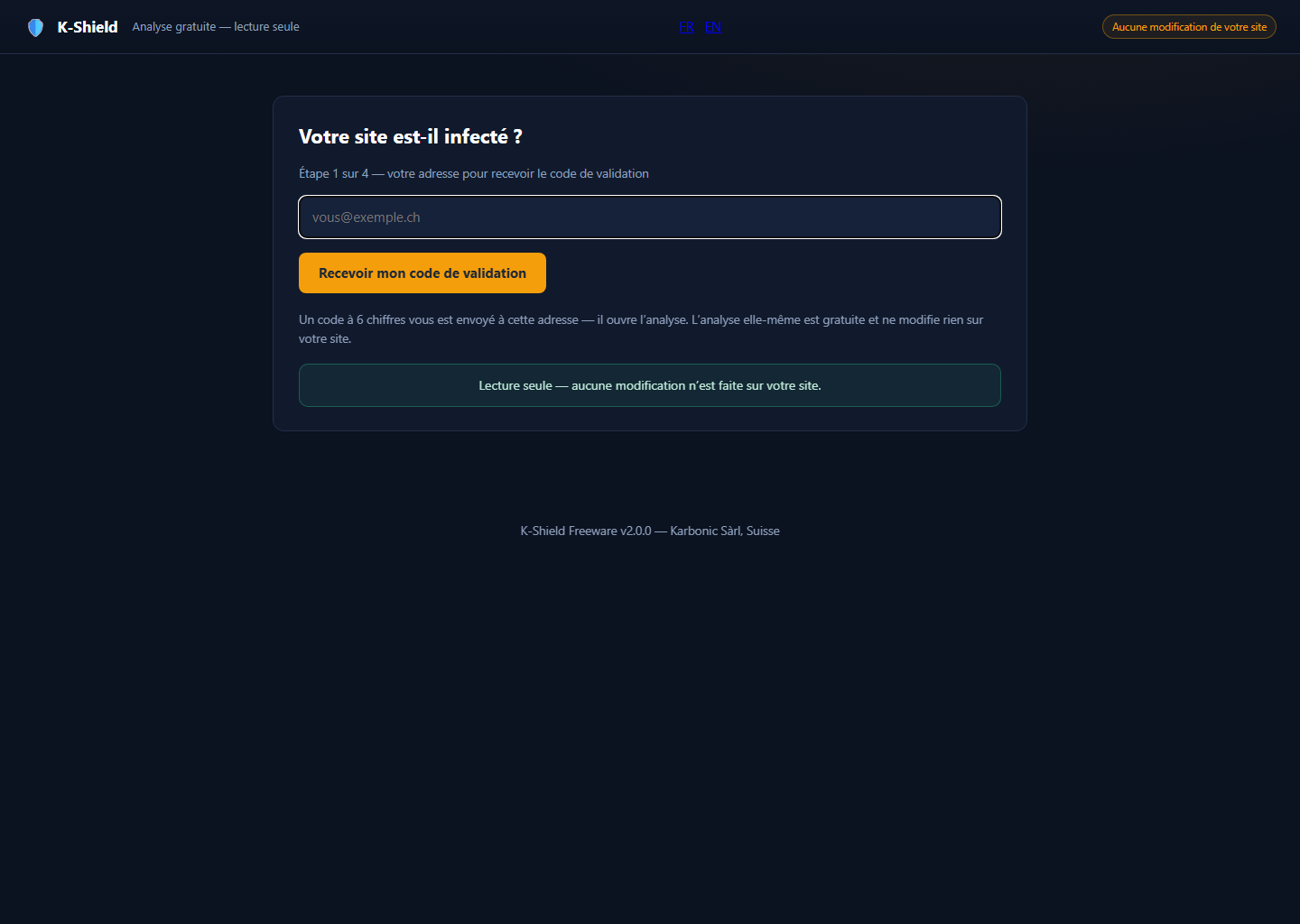 Enlarge screenshot ↗
The report identifies detected items. Keep it to assess recovery with Saver or explain your situation to us.
With your consent, the verdict and detection metadata are transmitted: hash, size and location. Sending a copy of detected files is a separate, optional choice.
Free
Free of charge