
Have FTP/SFTP access and an accessible email address ready. Free does not clean your site files. Installation extracts its own directory and scanning creates working files.
Need help finding FTP/SFTP access? View the quick guide →
1. Receive the files
On the Free page (Tools), enter your domain and email address, then read and accept the information about data transmission. You receive download links for analyse.php and kshield-analyse.zip. These links expire after seven days.
The validation code is requested when you launch the tool on your site, after downloading it.
2. Upload and open Free
Upload both files together to your WordPress root, next to wp-config.php. Do not unzip the archive: the tool extracts it on first launch.
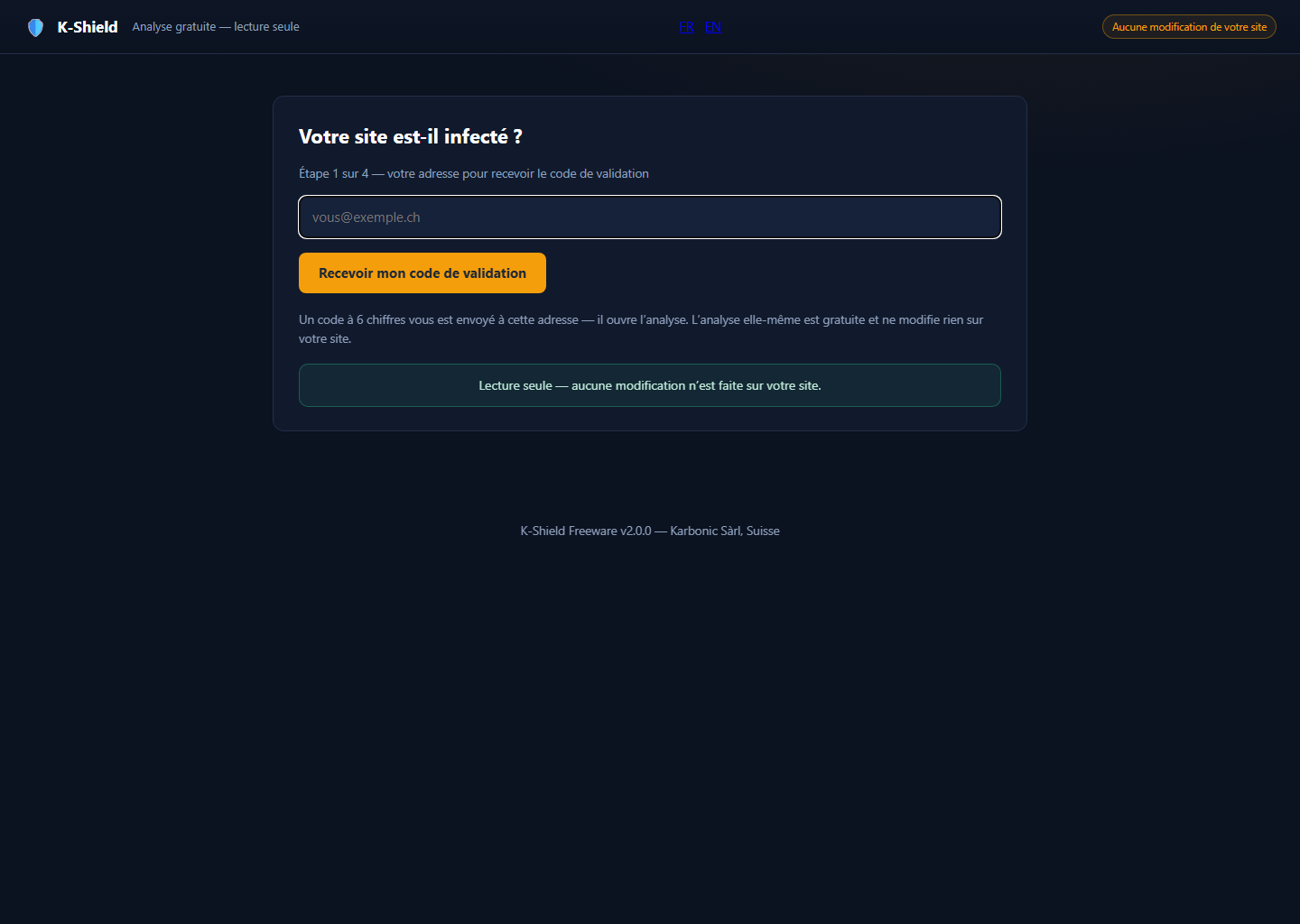
Open https://your-site.ch/analyse.php, replacing the example domain with your own.
 Enlarge screenshot ↗
3. Validate your email and consent
Enter your email in the portal, then the six-digit code you receive. It is valid for fifteen minutes, can be used once and allows up to five attempts.
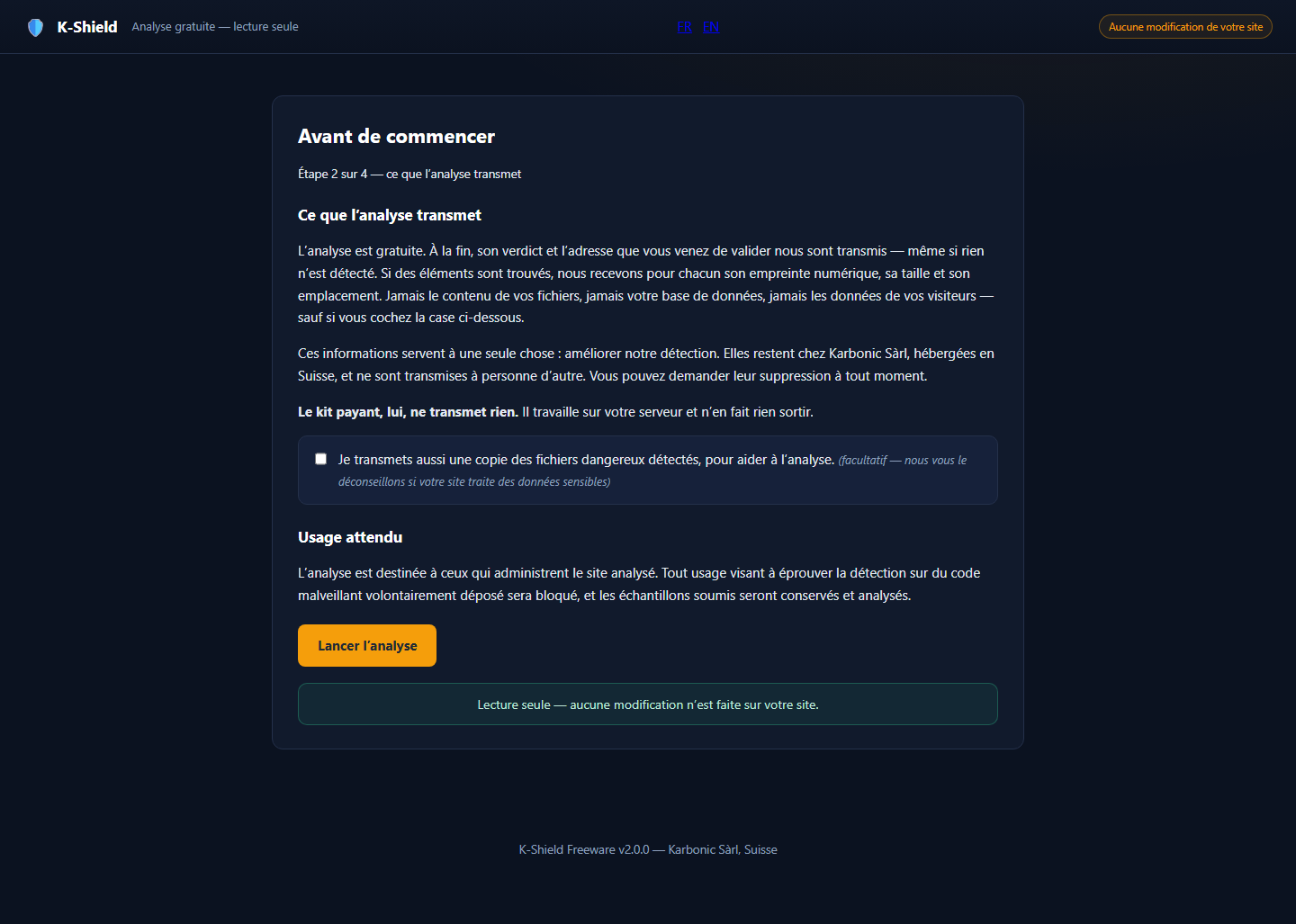
Read the consent screen before starting. The verdict and your validated email address are sent to wpsuite.ch. Sharing copies of dangerous files is optional: you must select the checkbox yourself.
 Enlarge screenshot ↗
4. Run the scan
Let the tool inventory files, compare WordPress core, look for hidden access points and examine the database. Wait for the report. If a phase reports an error, the diagnosis may be incomplete; record the error before concluding that the site is clean.
5. Read the report
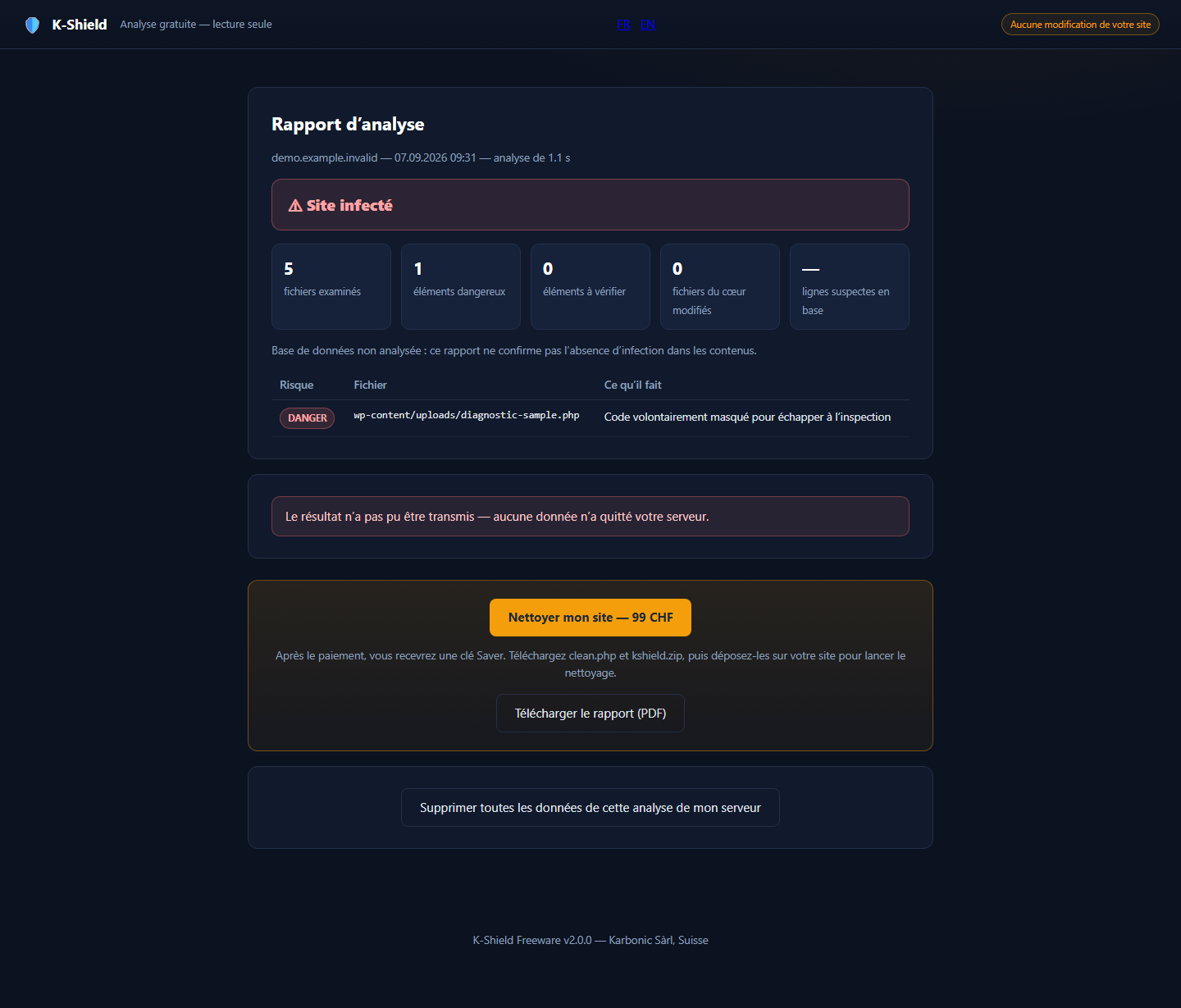
The report separates dangerous items from those needing review. Read the paths and detection reasons: do not delete a suspect file based on its name alone.
A report with no detections does not guarantee that the site is uncompromised. Keep the result. Saver provides clean-up; Full also adds WordPress monitoring.
 Enlarge screenshot ↗
6. Limits to understand
Free does not clean up, quarantine files or harden WordPress.
No detections does not prove the absence of every infection. A scan cannot guarantee recovery of destroyed files.
Troubleshooting
The email has not arrived.
Check the address and spam folder. If the portal reports a delivery failure, wait before trying again. A new code replaces the previous one.
My code is rejected.
Use the latest code for the same email address within fifteen minutes. Request a new code after five failed attempts.
The archive will not extract.
Check that both files are in the same directory, the archive is complete and the directory is writable. Share the exact error with your host or support.