
Rolling backups
Full and differential copies with configurable retention.
Full · Monitoring and ongoing protection
Full includes all of Saver’s recovery and hardening. It adds the WordPress plugin, rolling backups, firewall, login monitoring and everyday controls. The WPSuite console is optional: it is linked only after your explicit transfer.
CHF 190 · first year included, then CHF 6/month
 Enlarge screenshot ↗
Full and differential copies with configurable retention.
Request filtering, protected forms and limits on repeated attempts.
Identify deviations from administrator accounts’ usual activity.
K-Shield Full
The plugin is the WordPress interface; the K-Shield engine runs the checks. This view defines the actual scope of each function.
| Function | What Full does | Boundary or data handled |
|---|---|---|
| Application WAF | Detects SQLi, XSS, file inclusion and code execution; observes or blocks according to the setting. It also limits repeated attempts. | Pre-WordPress blocking depends on hosting and on the engine being available. |
| Scanner and Saver | Scans WordPress core, plugins, themes, suspicious files and compromise indicators. Saver remains available for recovery and hardening. | A finding requires review. No tool can recreate a permanently lost file or database without a backup. |
| Rolling backups | Schedules full and differential copies with configurable retention, so an earlier state can be restored. | Storage, scheduled tasks and restoration must be verified on the hosting account. |
| Logins and behaviour | Records WordPress logins and flags unusual IPs, countries or hours for administrator accounts. | An anomaly is a signal to review, not automatic proof of compromise. |
| HIBP password check | Uses a k-anonymous prefix lookup to check whether a password appears in a known breach; the complete password never leaves the site. | The check requires network access to HIBP and complements, rather than replaces, a password policy. |
| Forms and comments | Adds an invisible decoy, a minimum delay and limits. Messages with a link or advertising terms trigger two local challenges; injections are blocked. | Form text, its links and the visitor address remain on the site. |
| Optional WPSuite console | After explicit transfer, shows status, last scan, issues, blocks and backups; it can request a scan. | Outbound HTTPS, an AES-256-GCM encrypted-at-rest secret, HMAC and anti-replay nonce. No files, forms, IP addresses or WordPress access are sent. |
K-Shield Full
You download the kit, upload it to your hosting and run the steps from its interface. The licence gives wpsuite no access to your site, does not transmit your credentials and does not automatically trigger a technician’s intervention.
K-Shield Full
Real screenshots from the test environment, with an English interface and some French labels.
Schedule full and differential backups. Rotation retains several states to provide recovery points after an incident.
The backup module includes files, database and manifest. The scheduled job chooses a full copy according to the age of the previous one, otherwise a differential copy. Check scheduling and retention. Saver also has backups for recovery.
 Enlarge screenshot ↗
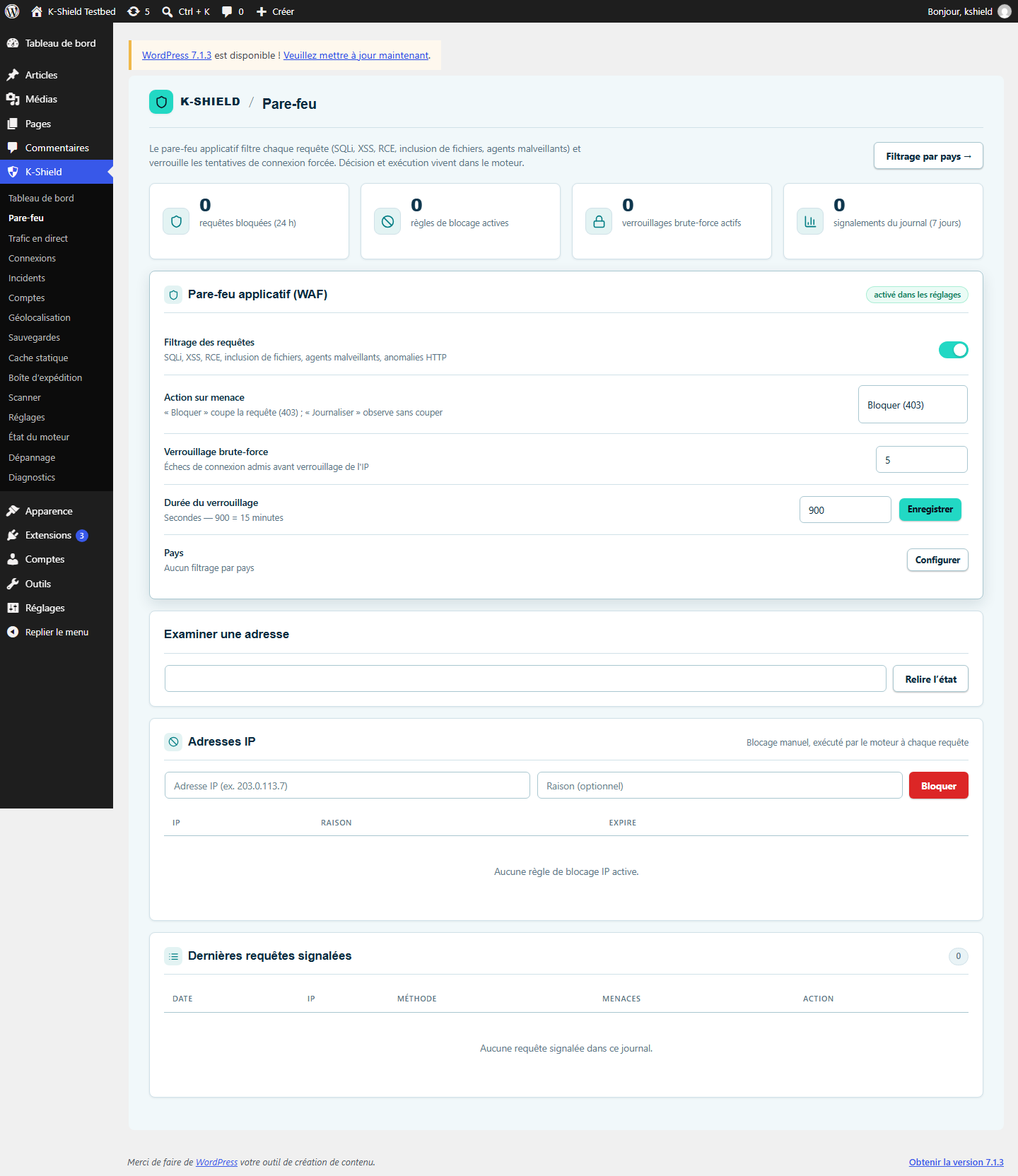
Filter suspicious requests, limit repeated attempts and manage blocked IP addresses. Rules can observe events or block requests.
The WAF checks for SQL injection, XSS, code execution and file inclusion, among other threats. Decisions run in the engine; the pre-WordPress sensor can enforce them before the CMS where hosting supports it.
The plugin protects comments and public forms with an invisible decoy, a timing check and submission limits. A message containing a link or advertising language must solve two local human challenges; an injection attempt is blocked.
Signals are calculated on the site. Form content, links and visitor addresses are never sent to WPSuite. The two temporary answers are checked by WordPress and the engine blocks the request when required.
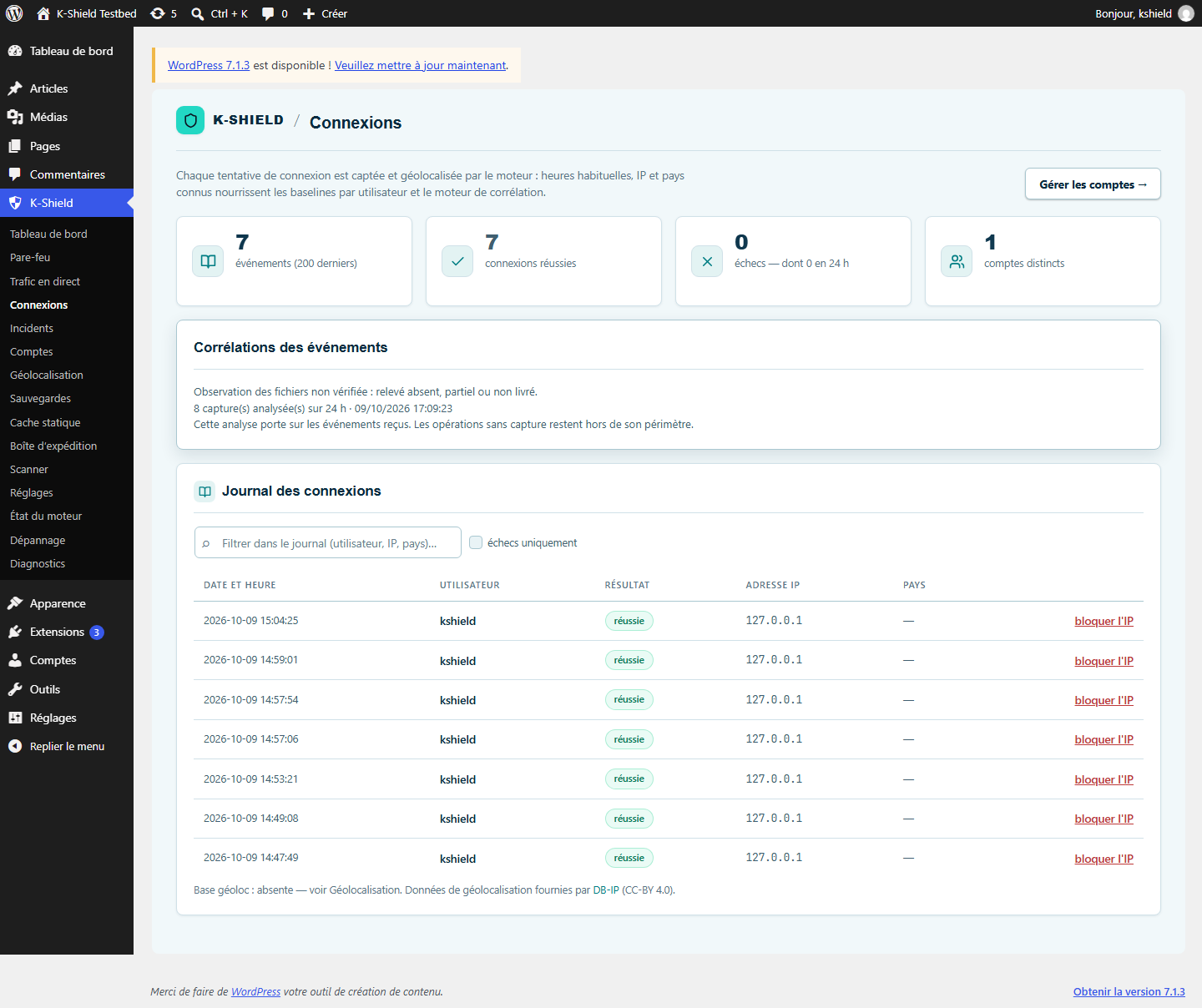
See who tried to log in, when and from which address. An unusual IP, country or time contributes to flagging activity for review.
The engine builds behaviour profiles from events: usual hours, known IPs and countries. Geolocation requires an available local database. An anomaly is a signal to review, not automatic proof of hacking.
 Enlarge screenshot ↗
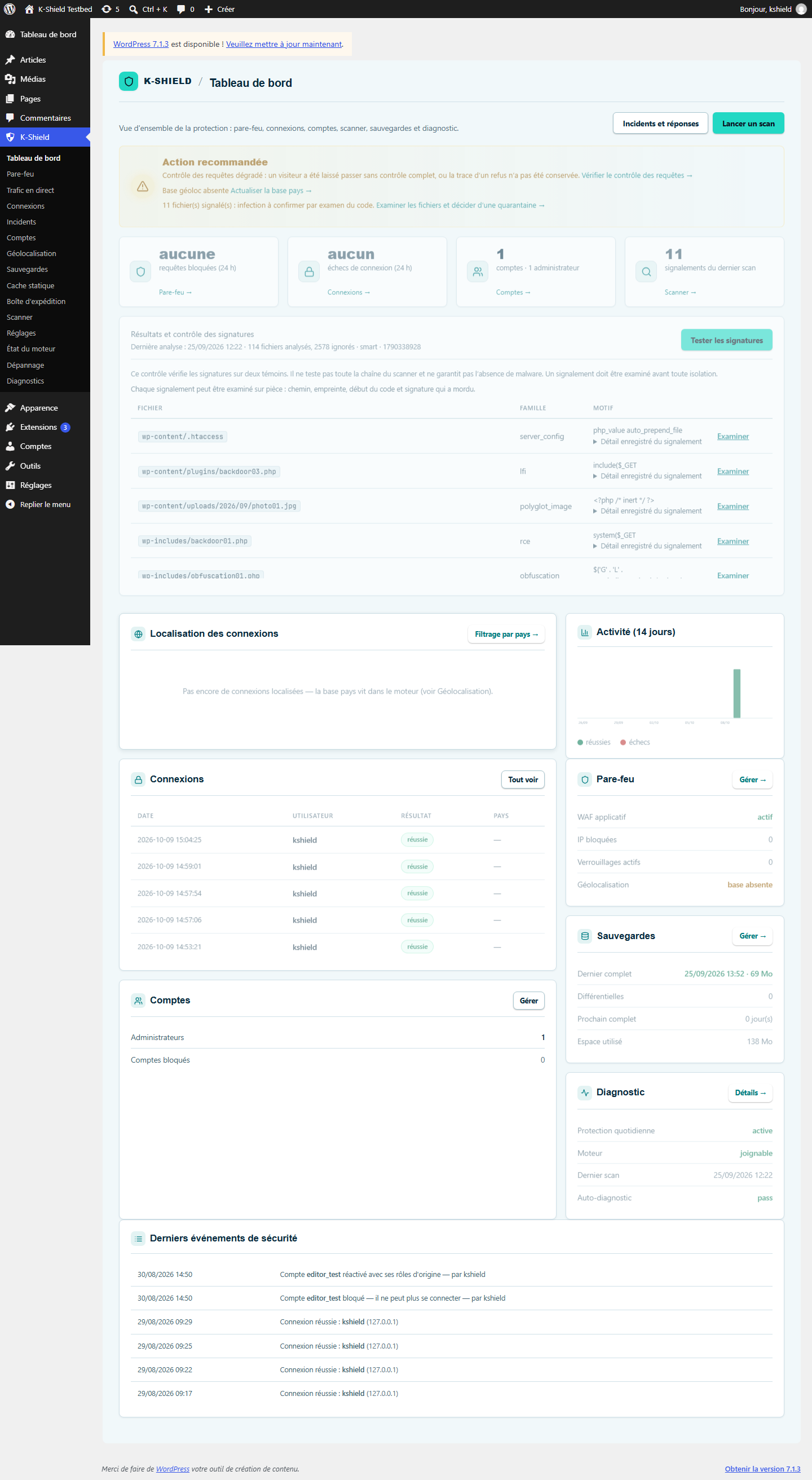
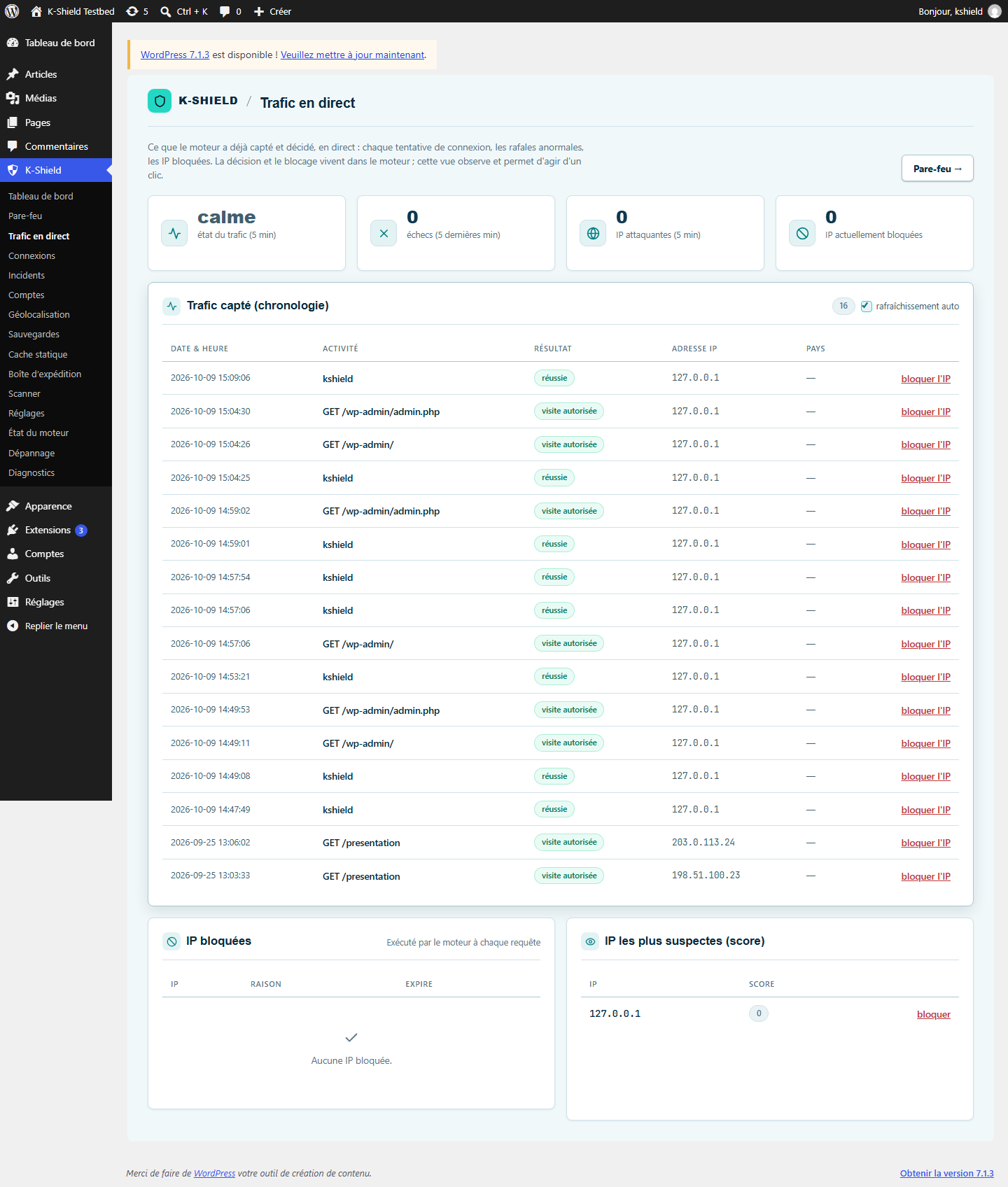
The plugin sends site events to the paired engine. Logs and the traffic view help explain activity and correlate signals.
Telemetry here means the plugin-to-local-engine stream through authenticated APIs. It does not mean systematically sending site data to wpsuite. Configured alerts may be sent to chosen recipients.
 Enlarge screenshot ↗
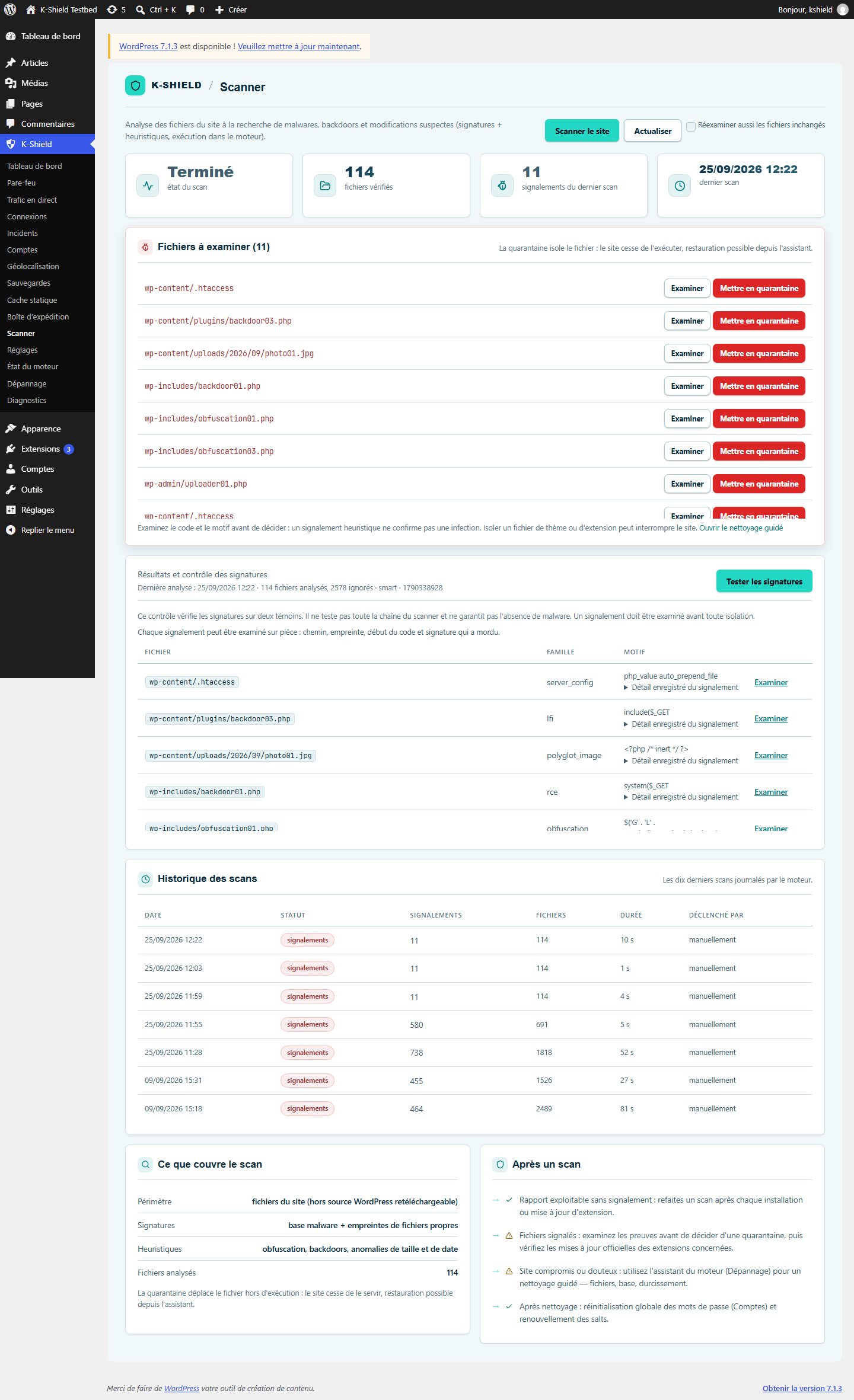
Start scans from the plugin and review results. Saver’s recovery functions remain available in the engine assistant.
The plugin provides the control interface; the engine runs scans and retains results. Detections require review and, where appropriate, recovery.
 Enlarge screenshot ↗
Check that the engine responds, components are ready and alerts are configured. The dashboard helps reveal incomplete protection.
Health checks, logs, geographic filtering and alert settings complement the WAF. These test screenshots show some functions awaiting setup, including geolocation.
 Enlarge screenshot ↗
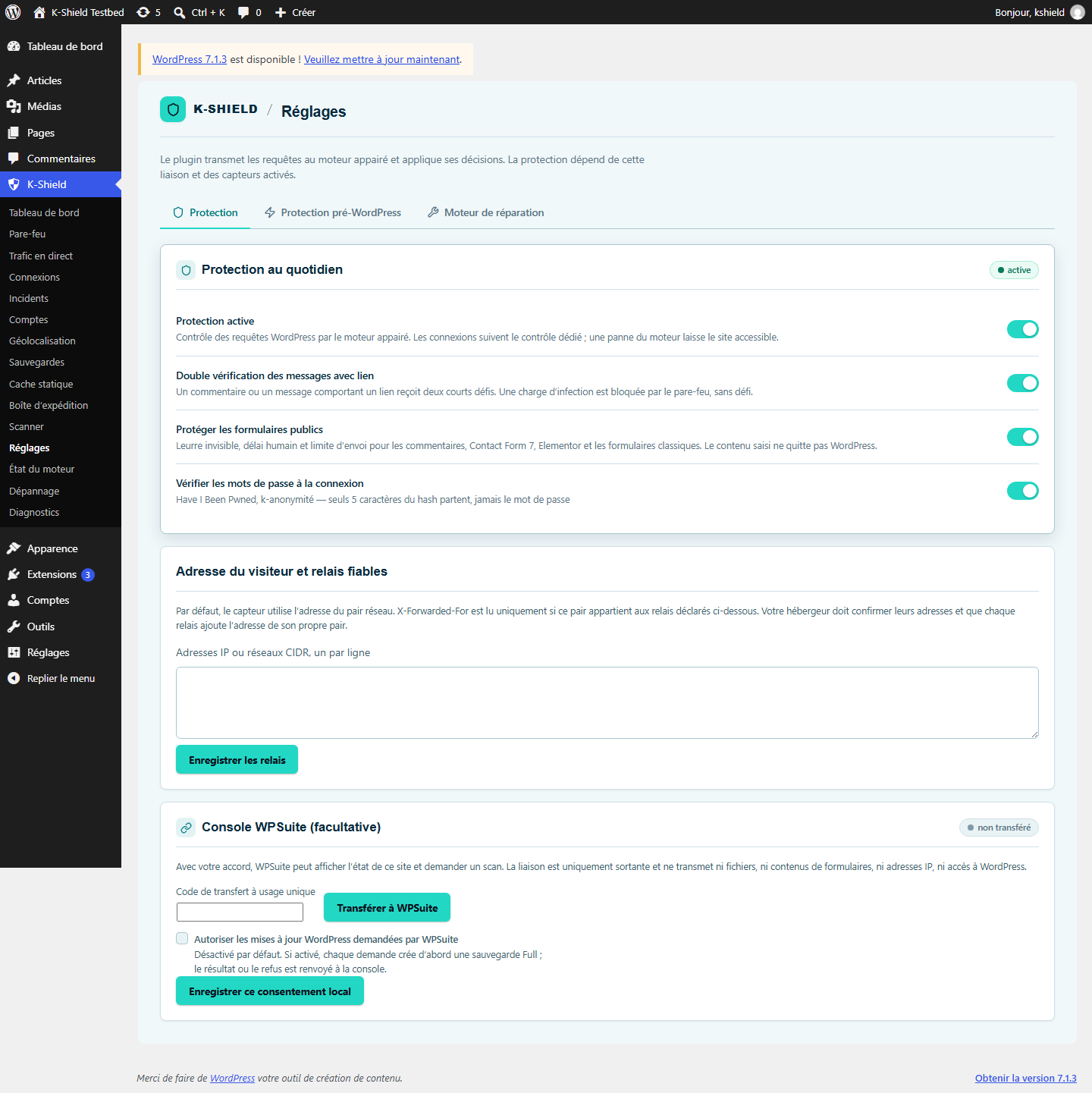
In WPSuite administration, create a one-time transfer code, paste it into the plugin, then see the site status, last scan, issues, blocks and backups. You can request a scan remotely.
The outbound link uses HTTPS, an encrypted-at-rest secret, HMAC signing and an anti-replay nonce. Only the domain and status indicators are sent: never files, forms, IP addresses, WordPress access or site content.
Enlarge screenshot ↗Full
Keep the report and error message, then submit your situation. We review the next step and possible help on request. Without a usable backup or copy, neither the assistant nor an intervention can recreate permanently destroyed media, custom code or data.
If the kit cannot bring the site back into service, the 30-day refund terms apply. Limits related to hosting or permanently lost content remain set out in the terms and conditions.
CHF 190 · first year included, then CHF 6/month