
Recover
Repair recoverable components and check the return to service.
Saver · Recovery and hardening · CHF 99
Saver guides you from assessment to return to service: restore WordPress core, handle suspicious files, check plugins and the database, then strengthen access and settings.
10-day trial · then CHF 99 for one site
 Enlarge screenshot ↗
Repair recoverable components and check the return to service.
Review accounts, scheduled tasks, settings and open issues.
Backups, quarantine and restoration actions support the intervention.
K-Shield Saver
You download the kit, upload it to your hosting and run the steps from its interface. The licence gives wpsuite no access to your site, does not transmit your credentials and does not automatically trigger a technician’s intervention.
K-Shield Saver
Real screenshots from the test environment, with an English interface and some French labels.
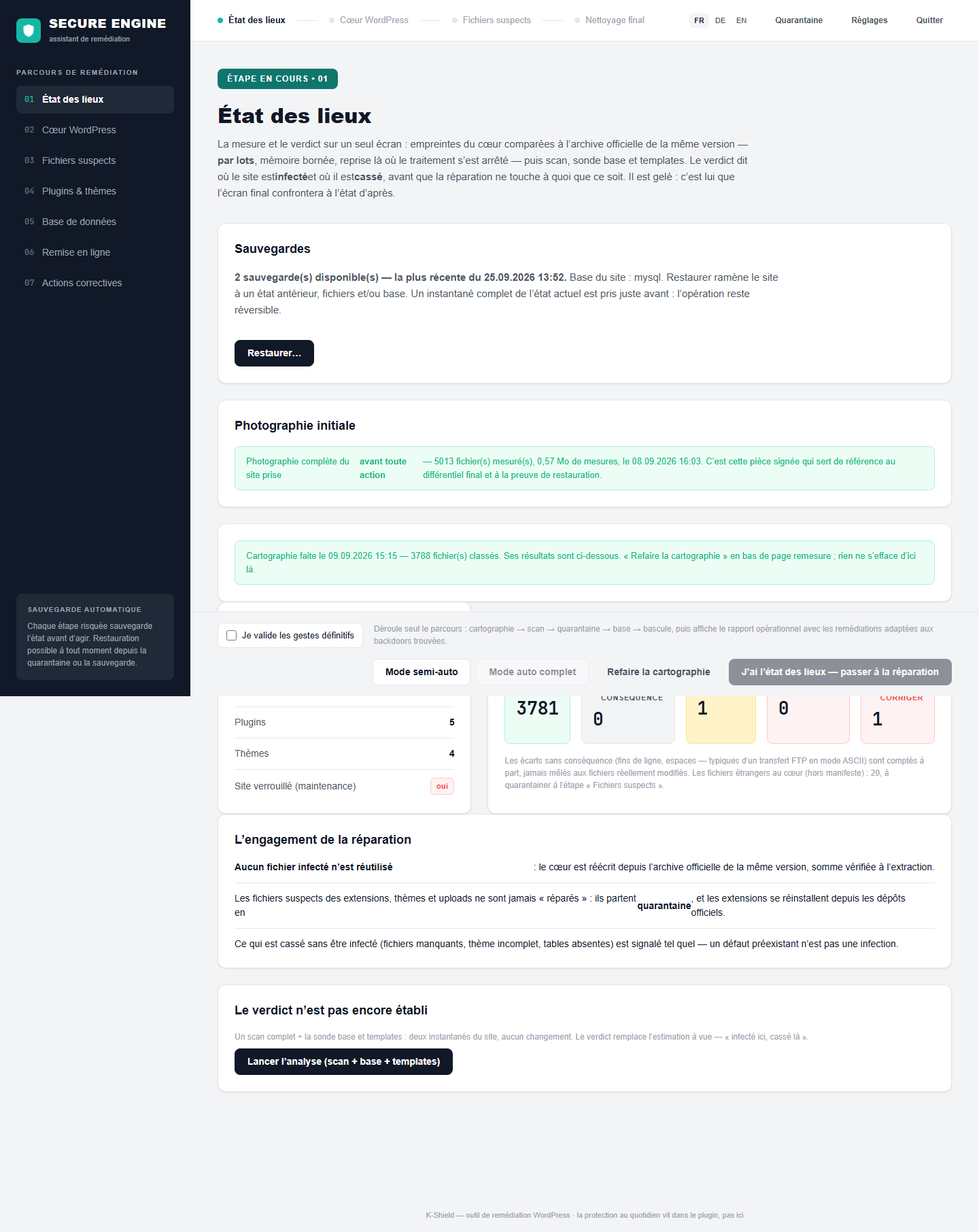
The assistant checks the site and records the initial findings. Review anomalies before choosing operations.
Engine access is independent of the WordPress administrator account. Risky steps offer a backup; verify it completed before modifying the site.
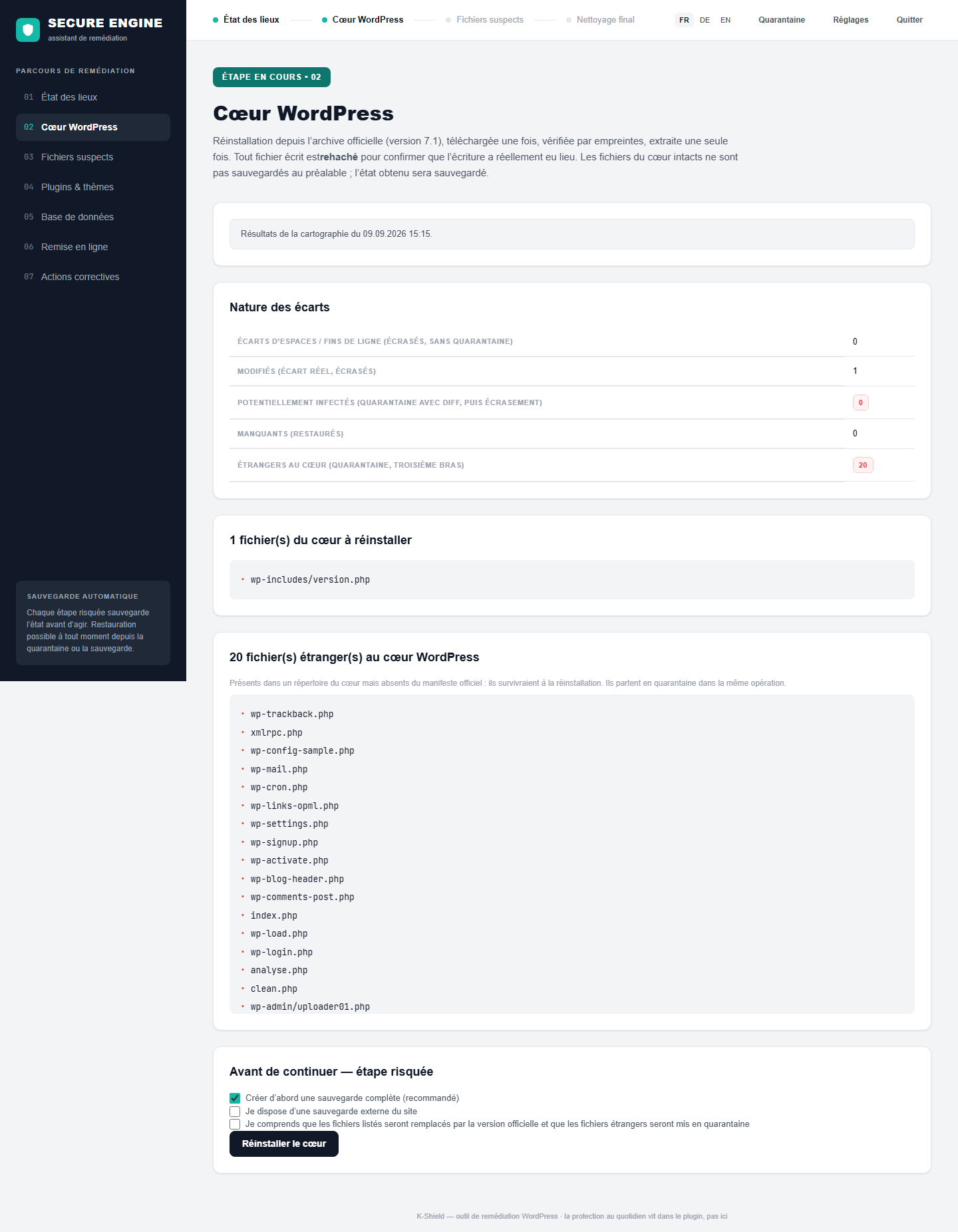
Missing or altered official files are restored. Foreign files in core directories are reviewed and handled through the recovery workflow.
Reinstallation uses the official archive, checksum checks and verification of written files. Quarantine preserves items that are set aside.
 Enlarge screenshot ↗
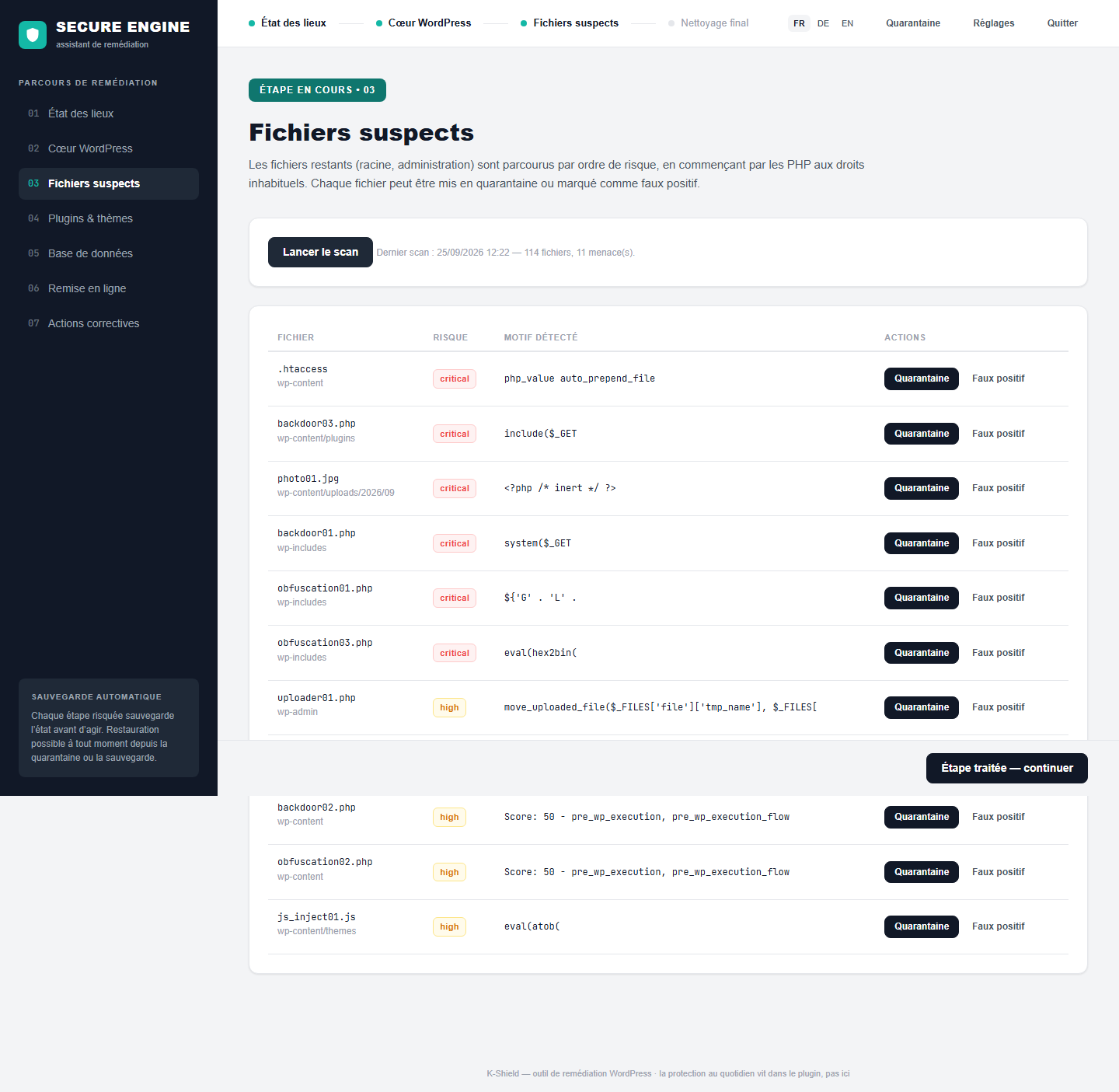
The scanner identifies files requiring review. Context and quarantine support decisions while preserving restoration options.
Decisions and operations are logged. Restoring a quarantined file can reintroduce a threat: review its role and detection reason first.
 Enlarge screenshot ↗
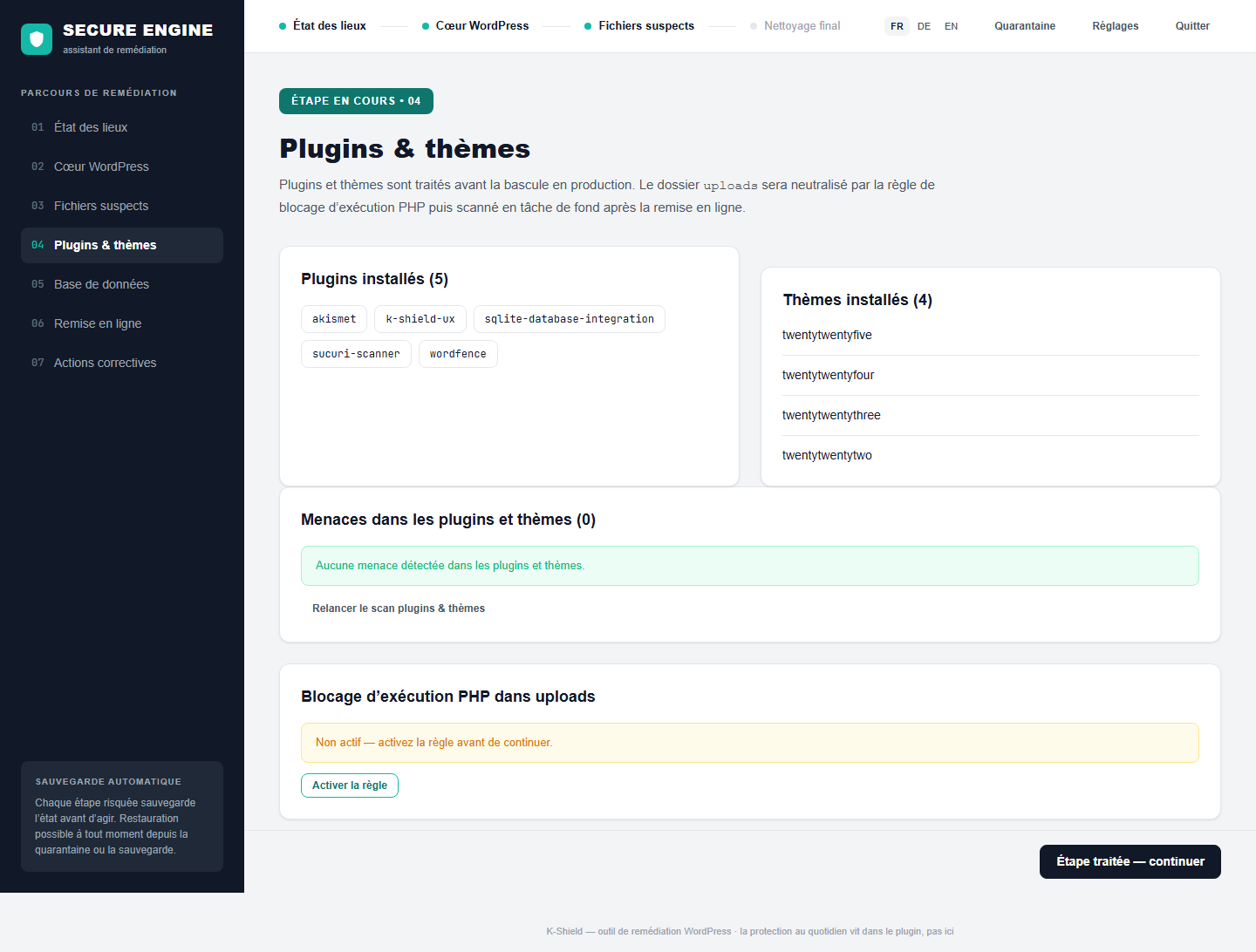
Saver also checks the components that run your site. Official components may be reinstalled; custom or premium themes need an appropriate clean copy.
Official sources can replace certain components. Custom changes and unavailable packages require a restoration source from the publisher or your backup.
 Enlarge screenshot ↗
Review database anomalies and proposed corrections. Recoverable content is distinguished from missing items.
Back up the database before changes. Saver cannot reconstruct permanently deleted information when no copy exists.
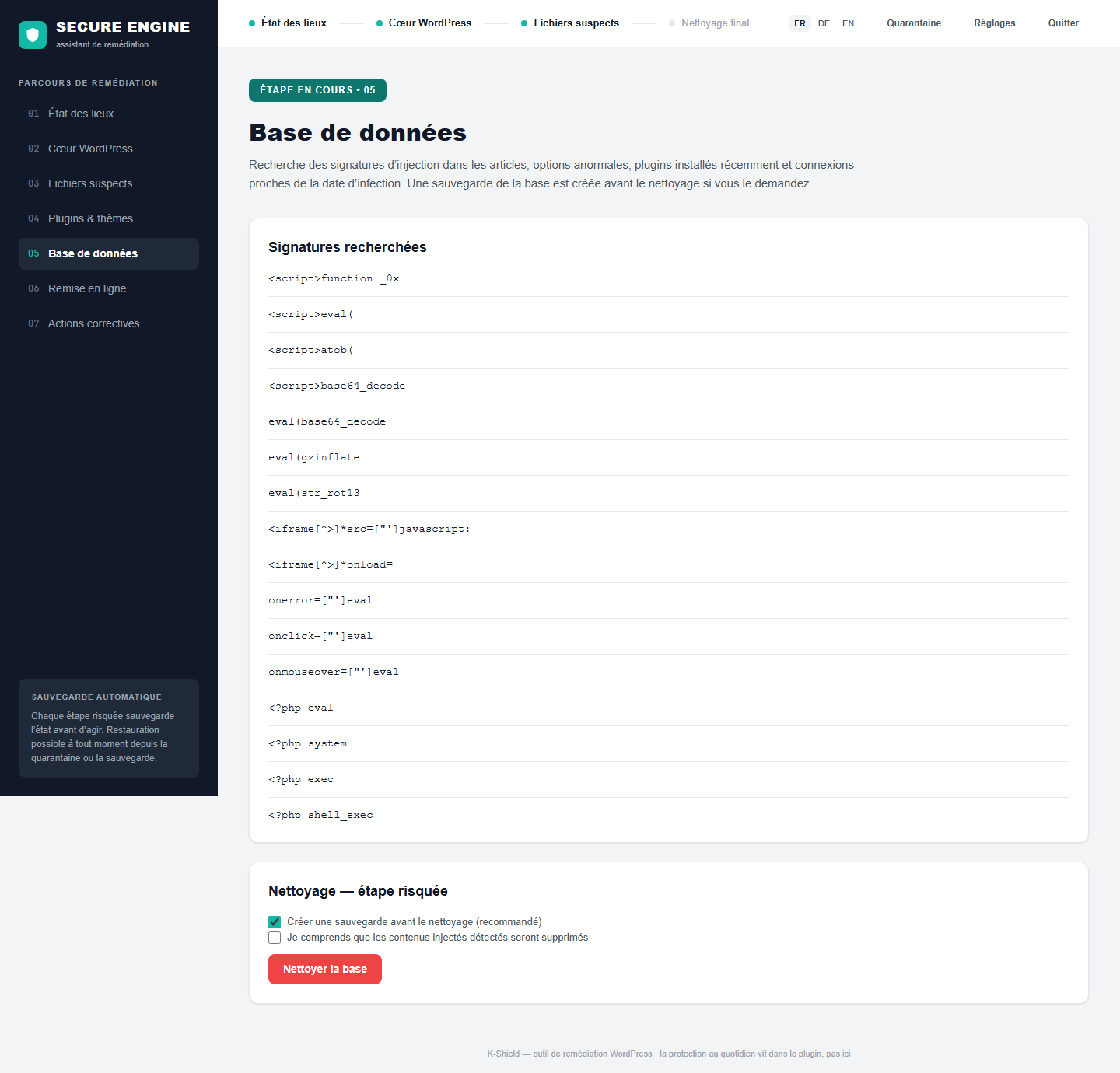 Enlarge screenshot ↗
Check site rendering and administrator access before leaving maintenance. A responding page alone does not confirm everything works.
The workflow includes a preview and login tests. Additional checks can compare files before and after execution to detect reinfection.
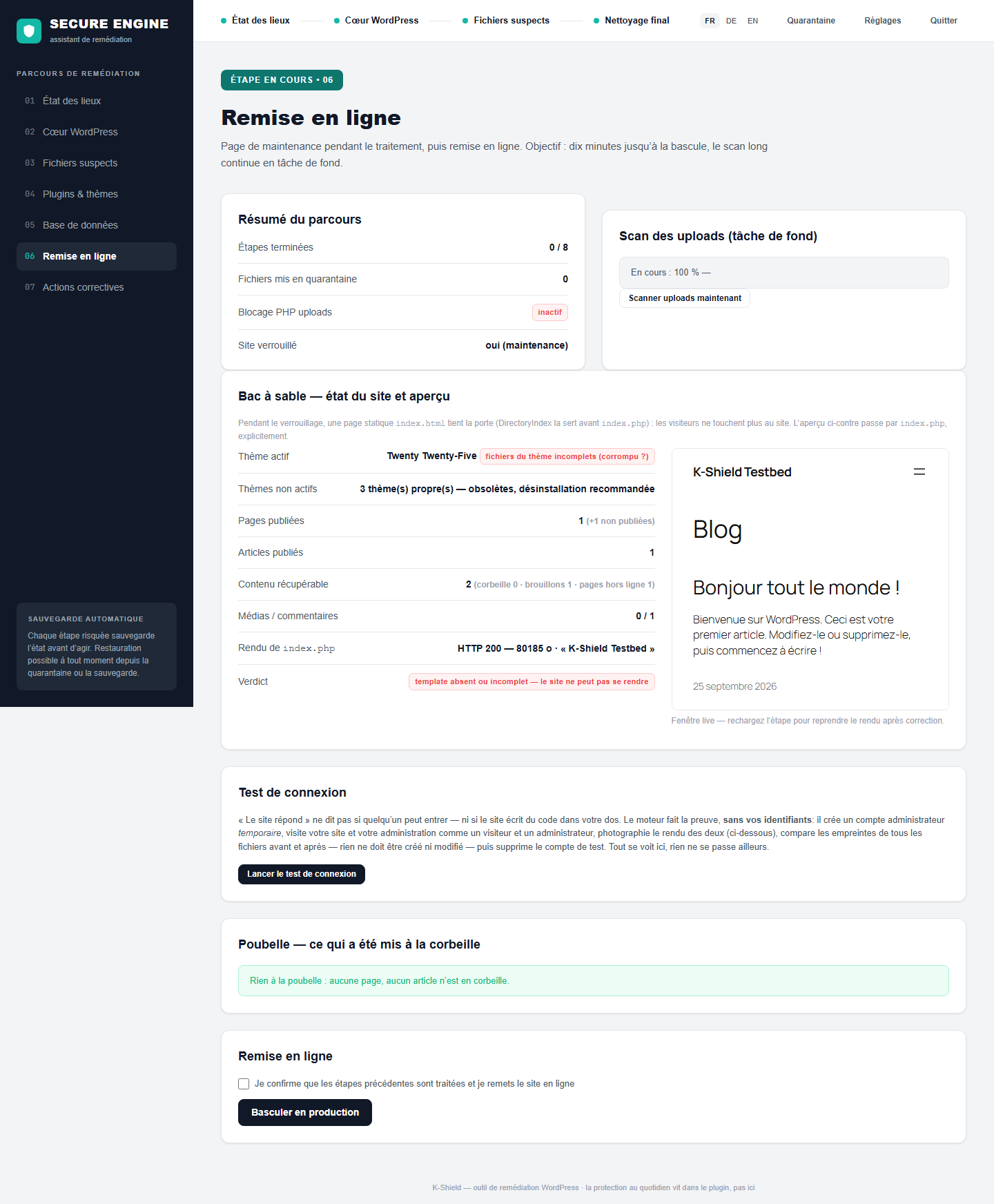 Enlarge screenshot ↗
Address suspicious accounts, scheduled tasks and settings. The report separates completed actions from work still required.
WP-Cron inventory, user checks, secret renewal and a hardening profile, according to available actions. Open points and environment warnings remain visible.
 Enlarge screenshot ↗
Saver
Keep the report and error message, then submit your situation. We review the next step and possible help on request. Without a usable backup or copy, neither the assistant nor an intervention can recreate permanently destroyed media, custom code or data.
If the kit cannot bring the site back into service, the 30-day refund terms apply. Limits related to hosting or permanently lost content remain set out in the terms and conditions.
10-day trial · then CHF 99 for one site