
Have your Full key, k-shield-complet.zip and a WordPress administrator account ready. The engine performs analysis and protection decisions; the plugin sends it site events.
1. Order Full
Choose Full in the order form. Email validation opens the order; the key is sent after payment is recorded. Your key must match the domain and Full edition.
Check the product page and your order terms for monitoring after the first year and renewal arrangements.
2. Install the plugin and engine
In WordPress, open Plugins → Add New Plugin → Upload Plugin. Select k-shield-complet.zip, install it and activate the plugin.
In K-Shield, open engine installation. Check prerequisites, enter your licence and follow the installer. Save the access details shown when installation finishes.
3. Check pairing
Check the engine connection status. If pairing is requested, open Settings in the assistant, copy the pairing key and paste it into the plugin settings.
Wait for the connection confirmation before considering protection operational. The pairing key connects the plugin and engine; it replaces neither the licence nor the admin token.
4. Backups that follow your site
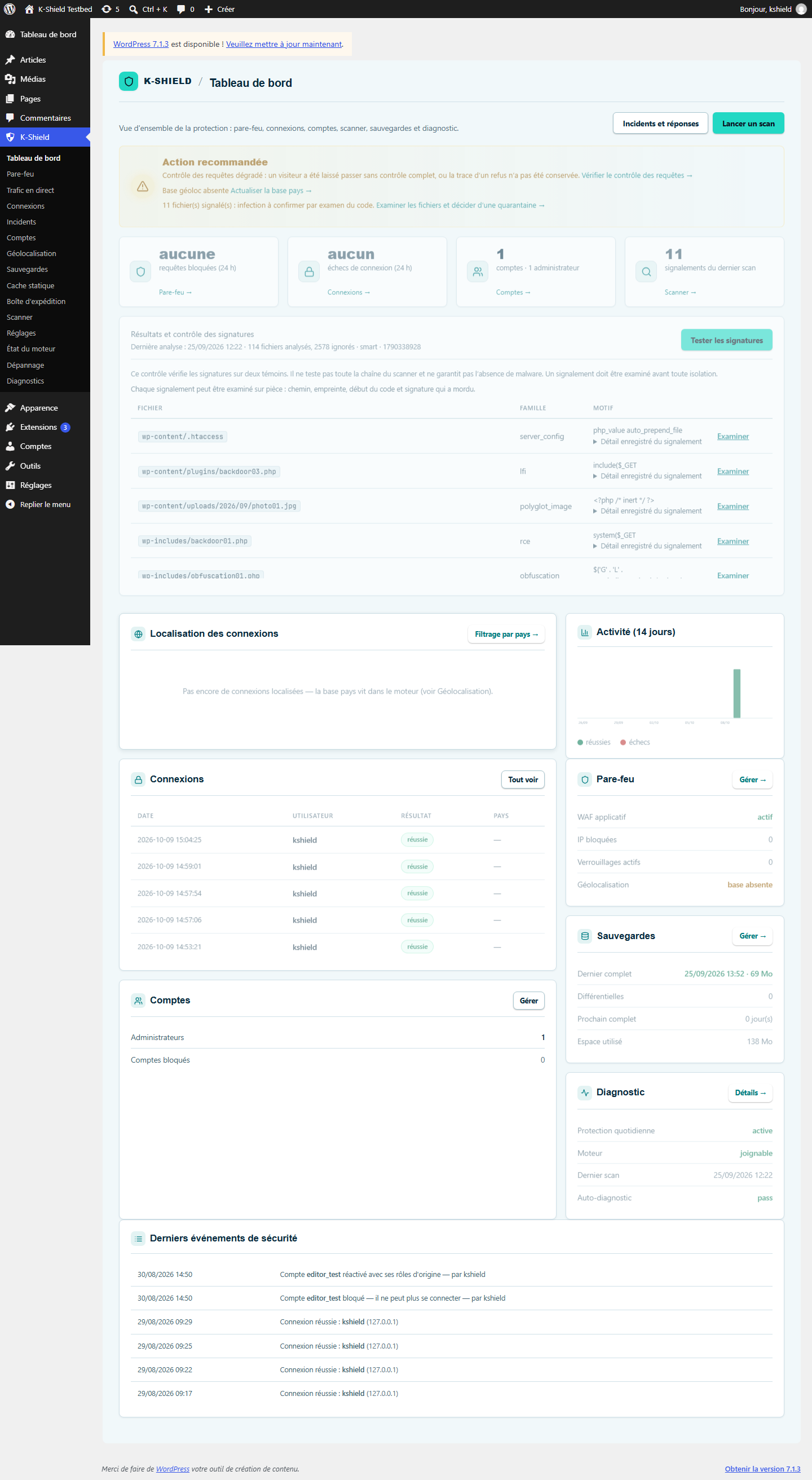
Schedule full and differential backups. Rotation retains several states to provide recovery points after an incident.
The backup module includes files, database and manifest. The scheduled job chooses a full copy according to the age of the previous one, otherwise a differential copy. Check scheduling and retention. Saver also has backups for recovery.
 Enlarge screenshot ↗
5. A firewall managed from WordPress
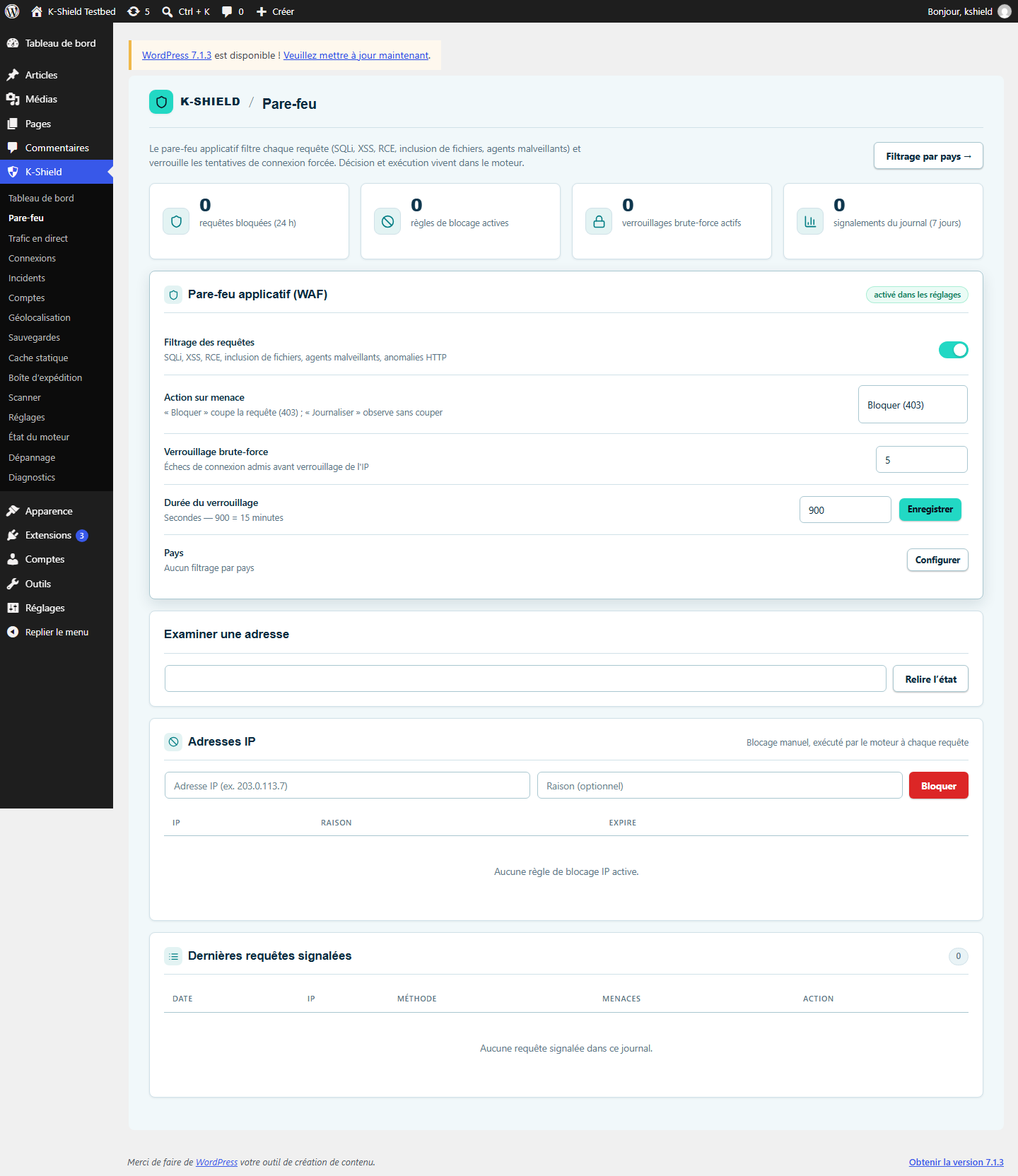
Filter suspicious requests, limit repeated attempts and manage blocked IP addresses. Rules can observe events or block requests.
The WAF checks for SQL injection, XSS, code execution and file inclusion, among other threats. Decisions run in the engine; the pre-WordPress sensor can enforce them before the CMS where hosting supports it.
 Enlarge screenshot ↗
6. Monitor administrator logins
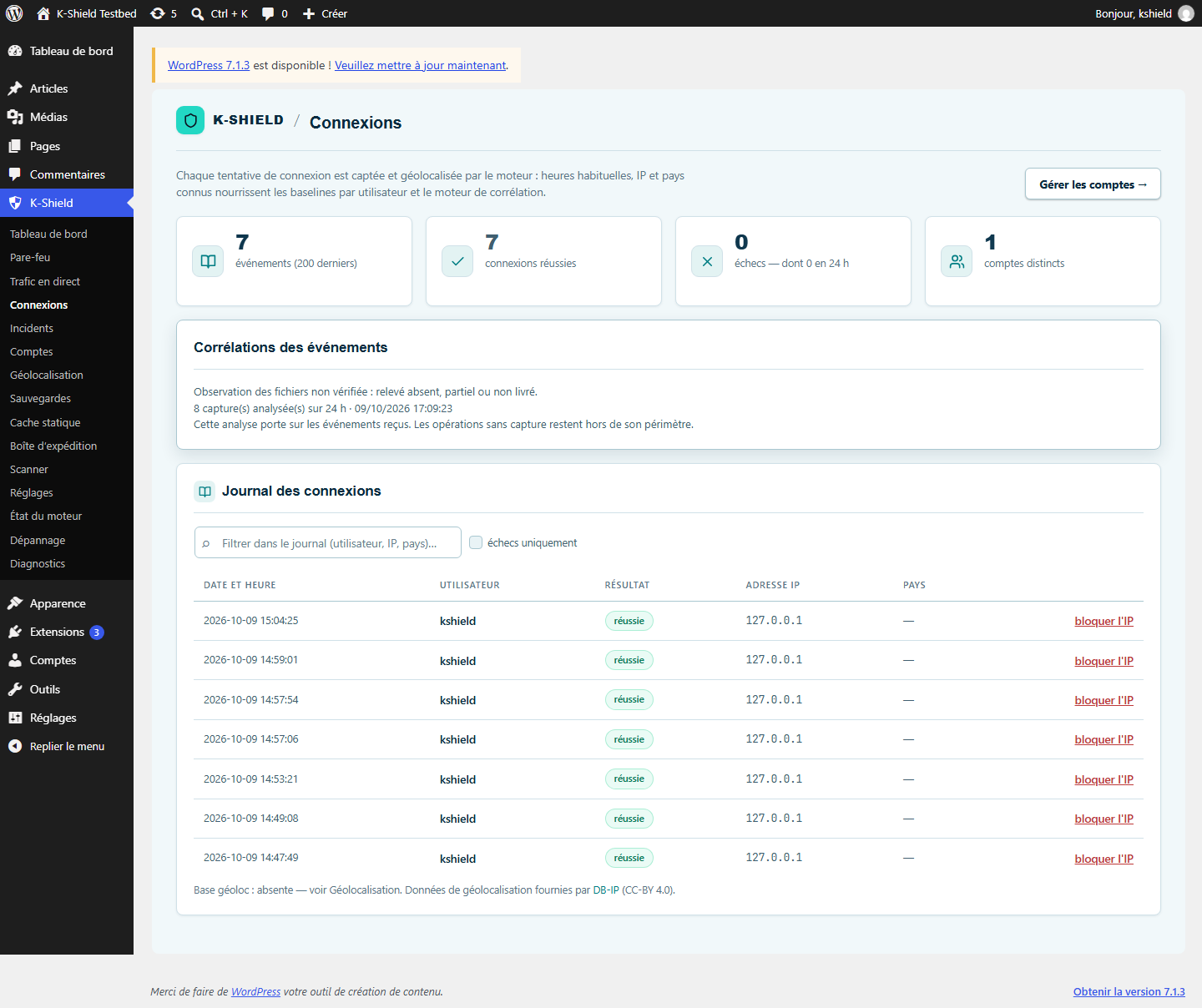
See who tried to log in, when and from which address. An unusual IP, country or time contributes to flagging activity for review.
The engine builds behaviour profiles from events: usual hours, known IPs and countries. Geolocation requires an available local database. An anomaly is a signal to review, not automatic proof of hacking.
 Enlarge screenshot ↗
7. Local telemetry and live traffic
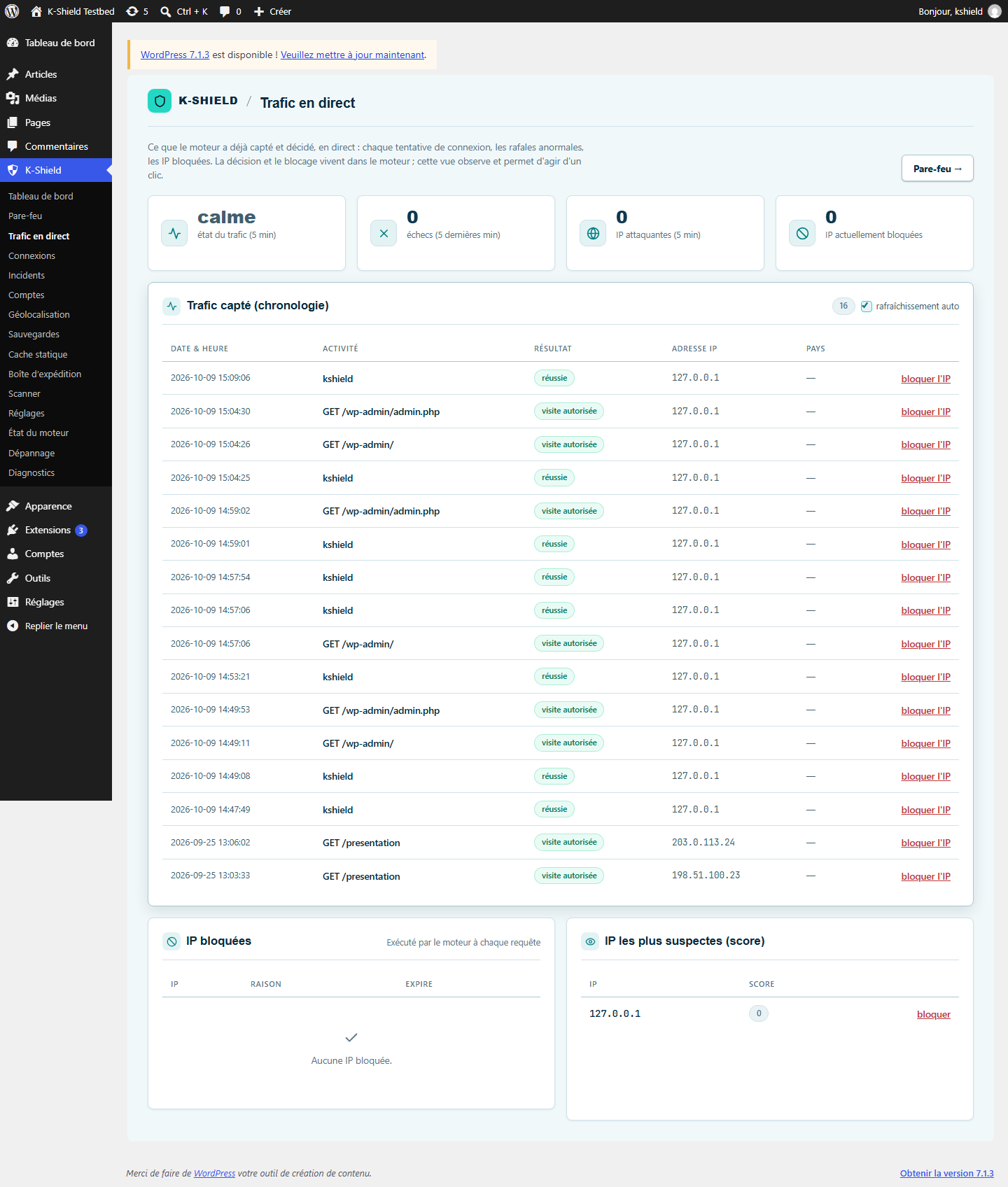
The plugin sends site events to the paired engine. Logs and the traffic view help explain activity and correlate signals.
Telemetry here means the plugin-to-local-engine stream through authenticated APIs. It does not mean systematically sending site data to wpsuite. Configured alerts may be sent to chosen recipients.
 Enlarge screenshot ↗
8. Scanner and detection follow-up
Start scans from the plugin and review results. Saver’s recovery functions remain available in the engine assistant.
The plugin provides the control interface; the engine runs scans and retains results. Detections require review and, where appropriate, recovery.
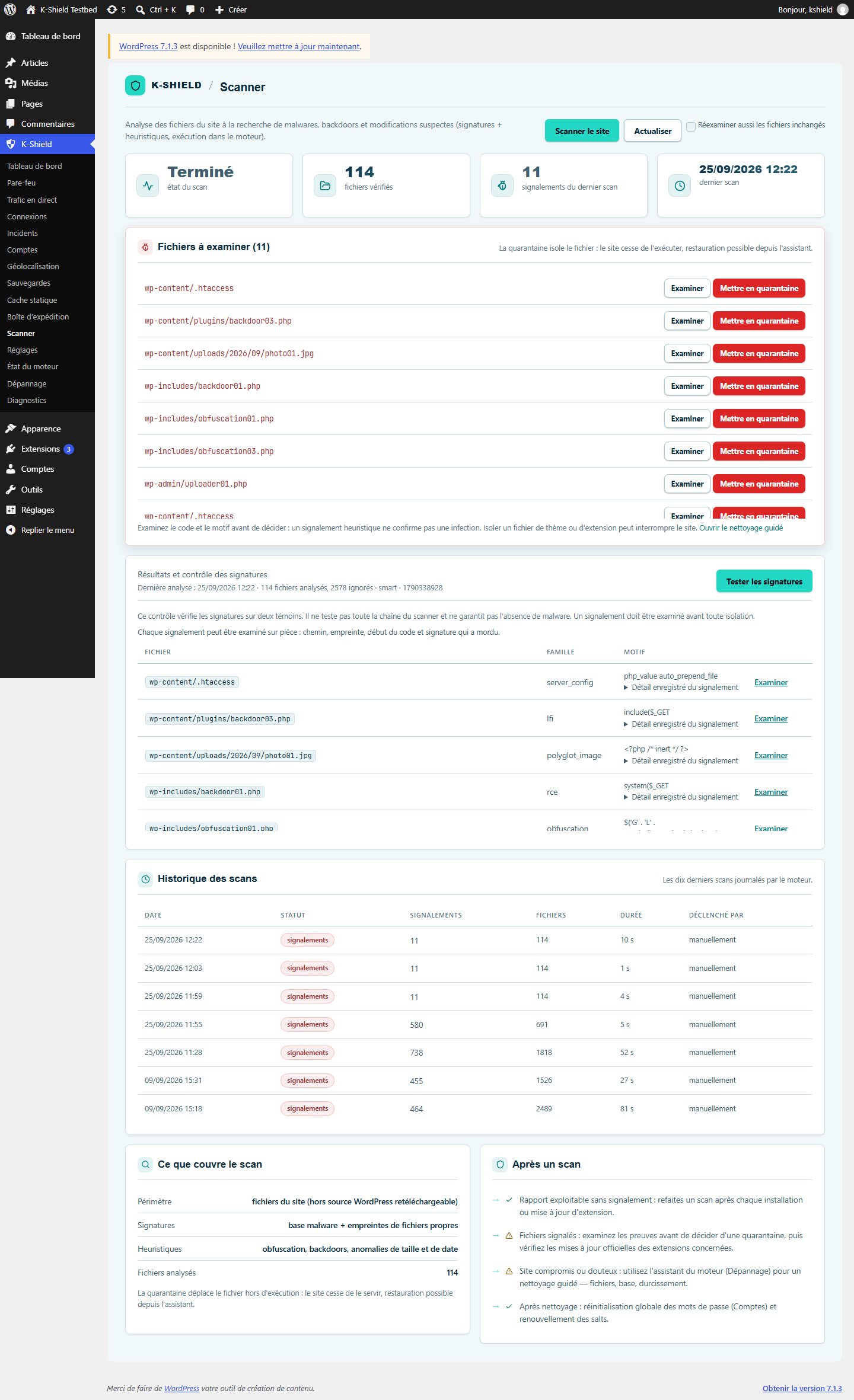 Enlarge screenshot ↗
9. Protection diagnostics and alerts
Check that the engine responds, components are ready and alerts are configured. The dashboard helps reveal incomplete protection.
Health checks, logs, geographic filtering and alert settings complement the WAF. These test screenshots show some functions awaiting setup, including geolocation.
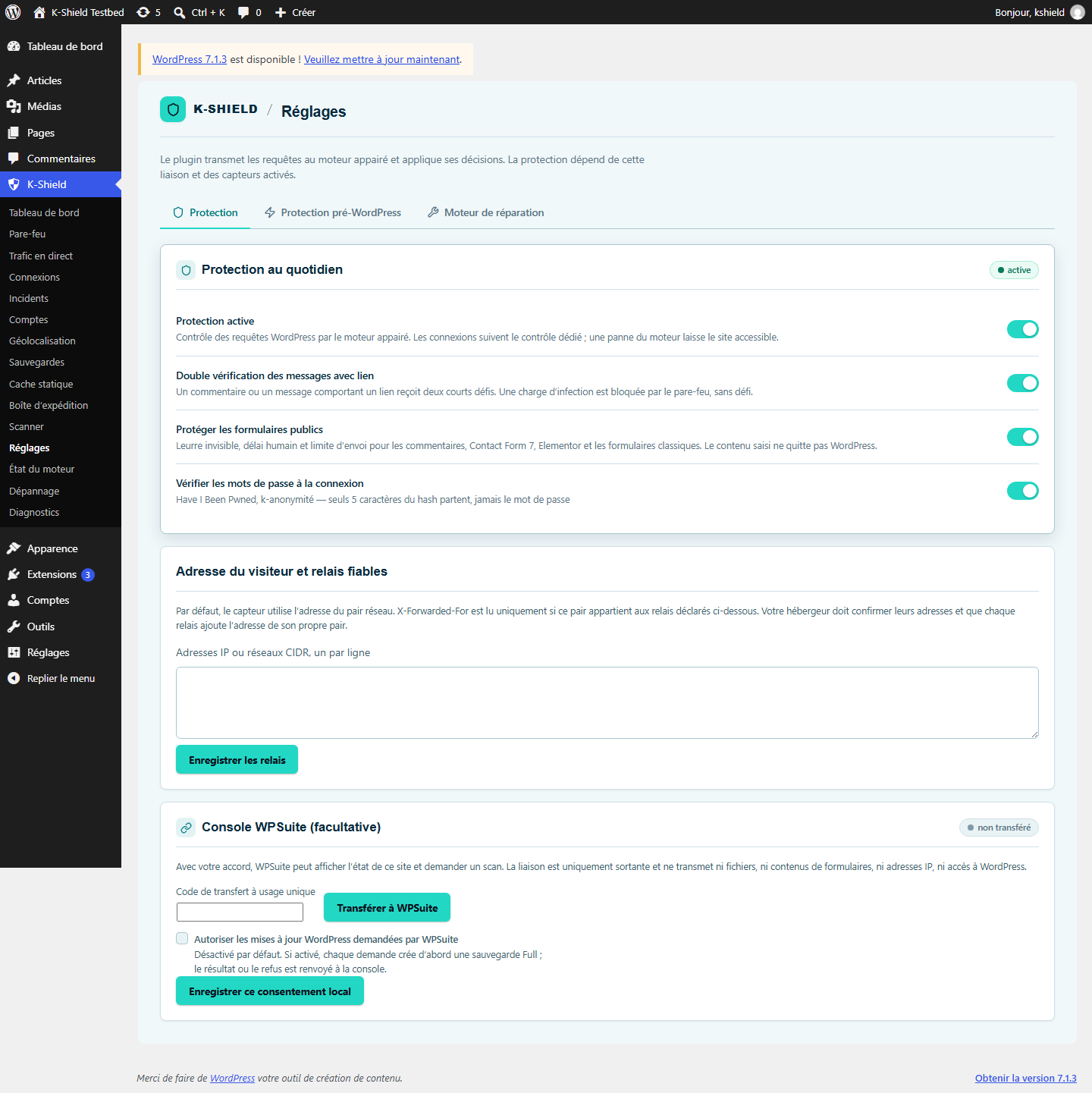 Enlarge screenshot ↗
10. Limits to understand
Monitoring requires a working engine, a paired plugin and scheduled tasks that actually run.
Pre-WordPress filtering depends on hosting. If the engine does not respond, the pre-WordPress sensor allows the request through.
Full cannot recreate permanently lost data or replace updates and attention to alerts.
11. An engine that works independently of WordPress startup
Saver and Full use a separate engine with its own access URL. If WordPress is infected or cannot start, the engine can remain accessible as long as its own files, access and hosting have not been compromised.
Troubleshooting
The plugin says the engine is missing.
Check that the installed package is the built Full edition with its engine, then review installation checks and root directory write permissions.
The engine does not respond.
Check its address and status with your host. Review diagnostics before reinstalling or changing keys. A responding site does not prove monitoring is working.
A legitimate visitor is blocked.
Find the corresponding event in the log and firewall rules. Adjust the relevant rule and check the result; avoid disabling every protection for a single blocked request.